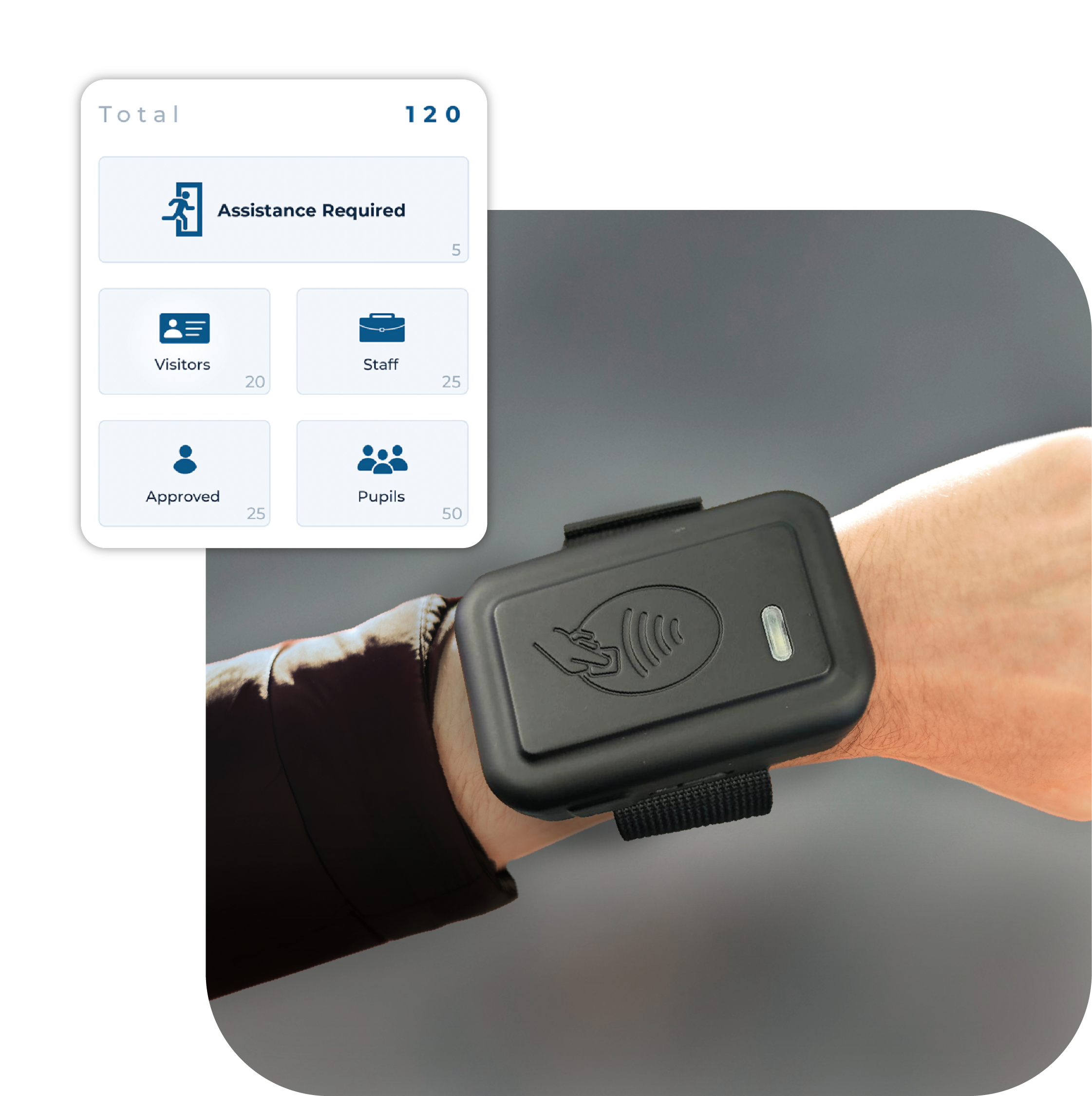
RollCall Scanner
Make evacuations quicker and more efficient with InVentry’s RollCall Scanner. Pair with the RollCall App and check everyone is accounted for with the tap of an RFID card.
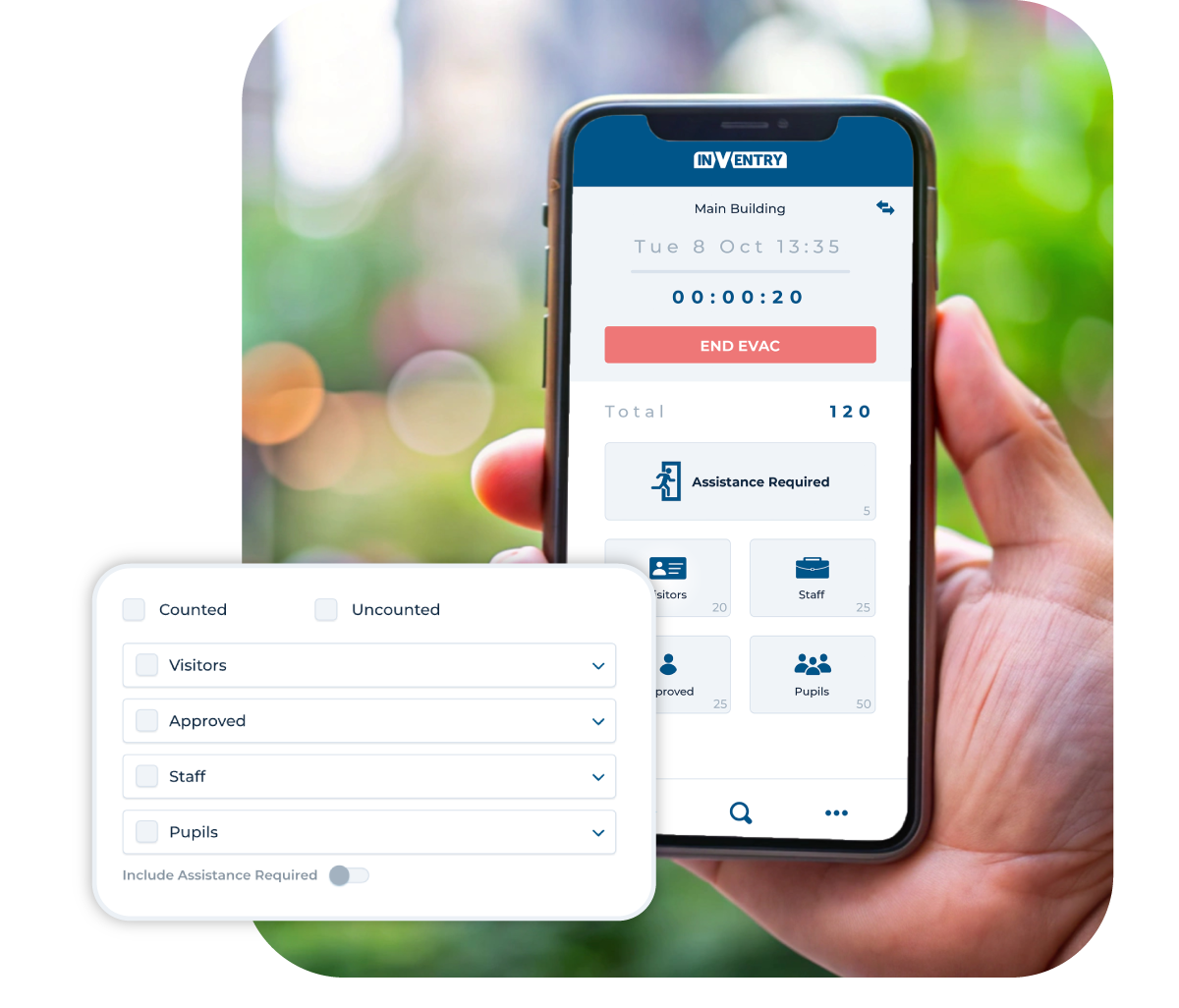
Make Evacuations Faster and Easier with InVentry’s RollCall Scanner
Ensuring everyone on your site is safe during an evacuation is vital. Manually accounting for staff, students and visitors can be confusing, especially for sites with multiple evacuation points – and relies on paperwork being up to date with people who are still on site and who isn’t.
Designed to make evacuations faster and easier, the RollCall Scanner is worn by your fire marshals, allowing staff, students and visitors to simply tap their RFID badge and be instantly marked as safe in RollCall. Less waiting, less admin and greater confidence during every evacuation.
Up To Five RollCall Scanners for Larger Sites
Sites such as schools often have multiple evacuation points, which can lead to more confusion as to who is accounted for and who aren’t, leading to delays or unnecessary rescues.
Up to five RollCall Scanners per site allow seamless and integrated rollcall across larger sites with multiple evacuation points so every fire marshal knows who is accounted for. And with the RollCall app linked, you can see who requires assistance, who’s not yet accounted for and who’s already left the site for the day.
RollCall Scanner Features
Discover how RollCall Scanners can integrate with your systems and create seamless Evacuations.
Wearable & Hands-Free
Comfortably worn on the wrist, giving fire marshals complete freedom to manage evacuations while scanning people in with ease.
Instant RFID Check-In
Simply tap an RFID badge to automatically register staff, students and visitors as safe within RollCall. No badge? No problem. Quickly mark anyone as safe directly within the app.
Built for Larger Sites
Connect up to 5 RollCall Scanners to a single RollCall device, making it easy to manage multiple assembly points or larger evacuations.
Seamless RollCall Integration
Works alongside InVentry RollCall to deliver real-time updates, accurate headcounts and complete visibility throughout an evacuation.
Want To Know More About Our RollCall Scanners?
Speak to us today to find out more about how our evacuation management system can benefit your business or educational setting.
Roll Call Scanner FAQs
Below, you’ll find answers to common questions about our RollCall Scanners, helping you understand how it can improve your organisation’s evacuation processes.
The RollCall app updates automatically when anyone enters the building, be that staff or students signing in, or visitors with temporary badges. So in the case of an emergency, everyone on site will be automatically visible in the app to be accounted for. And their tempoary RFID badge will work with the RollCall Scanners to mark them as safe.
Don’t worry! During evacuation, if someone doesn’t have an RFID pass to hand, you can mark them as safe directly in the RollCall app.
Our evacuation roll call system can be used for a wide range of situations, including fire drills, actual fire incidents, lockdowns, bomb threats, gas leaks, or any situation requiring a site evacuation.
Roll call should always be carried out at a designated, pre-agreed assembly point that is clearly identified in your organisation’s emergency evacuation plan. This location should be safe, away from the building, and large enough to accommodate all staff, visitors, and contractors without causing congestion.
In modern environments, many organisations now use a digital evacuation roll call system such as the RollCall app to support this process. Instead of relying on paper lists or manual headcounts, fire marshals can complete roll call from any device, ensuring faster and more accurate results. This is especially effective when used alongside a fire drill app or wider fire roll call system, where live attendance data is automatically available at the assembly point.
Ultimately, roll call should be carried out wherever your safe assembly point is defined, but supported by a reliable roll call system to ensure no one is missed.
A roll call helps to identify exactly who is safe and accounted for following an evacuation, and who may still be inside the building. It is a critical part of any evacuation roll call system because it provides real-time visibility during emergencies such as fires, alarms, or drills.
Using a digital fire roll call system or roll call systems like the RollCall app, organisations can instantly match live check-in data against those present at the assembly point. This allows fire marshals to quickly identify missing individuals, visitors, or contractors who may not be immediately accounted for.
In addition, when integrated with a fire drill app, roll call data can be used to review evacuation performance, highlight delays, and improve future safety procedures. This makes the evacuation roll call system not only essential for emergency response, but also valuable for ongoing safety compliance and training improvements.
Yes! Our evacuation roll call systems is cloud-based and supports multi-device access. You can log in from as many mobile devices as needed across different muster points, all syncing in real time.
Yes, every site can have up to five RollCall Scanners at at time, meaning five fire wardens can mark staff and students as safe simultaneously. And once someone is marked as safe, the app automatically updates the entire system for every fire warden to see who is and isn’t accounted for.
The roll call check in system pulls live data from your InVentry sign-in system, ensuring an up-to-date and accurate list of everyone currently onsite. It also accounts for early leavers automatically, reducing the chance of errors.
It’s easy! Simply Book a Demo with our team to see how our RollCall Scanners can be tailored to fit your organisation’s specific needs.
Case Studies

Thompsons Commercials
InVentry provides Thompson Commercials with a sustainable and comprehensive system to streamline their site management.
Read More
Pitmaston Primary School
InVentry Helps Pitmaston Primary School improve their record keeping whilst streamlining their evacuation process
Read More
Woods Foodservice
Find out how Woods Foodservice utilised InVentry to obtain their Grade AA BRC accreditation
Read More
Bericap UK
InVentry enables Bericap UK to enhance on-site efficiency and professionalism, whilst streamlining their contractor management
Read More
Oryx International School
Oryx International School, based in the vibrant capital of Qatar, is a premium British school exclusively for the children of Qatar Airways employees.
Read More
LOAI – Anderton Centre
Find out how the Anderton Centre have utilised InVentry for staff and events and safeguarding the children that come on-site
Read More
Royal Holloway University
Find out how the Royal Holloway University manage the performance of their contractors using InVentry.
Read More
Cams Lane Primary School
Find out how Cams Lane Primary School provided a consistent and accurate signing in experience for both staff and visitors.
Read More
Gartnavel Hospital
Find out Gartnavel Hospital have been using InVentry to manage contractors and track keys across wards and estates
Read More
TRW Systems
Find out how TRW Systems are using InVentry as their virtual reception for visitors and staff creating the right first impression
Read More
Essendon Country Club
InVentry helps Essendon Country Club to identify regular contractors for Health & Safety purposes whilst improving their fire roll calls
Read More
Geotech
Find out how Geotech are using InVentry to manage their contractors and evacuations throughout their technology based organisation
Read More
Halesbury School
InVentry provides Halesbury School with a sign in solution that seamlessly integrates with their Almas access control system
Read More
Matrix Polymers
Find out how Matrix Polymers are using InVentry for visitors and staff sign in after replacing their paper based process
Read More
Humbercare
See how we helped Humbercare streamline their staff and visitor management process whilst ensuring site security
Read More
A1 Bacon Co
Read More
Elmsleigh Infant & Junior School
Find out how Elmsleigh Infant & Nursery School used InVentry to improve their safeguarding and fire evacuation.
Read More
Skinners’ Academy
InVentry improves staff management and time keeping at Skinners’ Academy whilst offering an accessible signing in system
Read More
Grand Theatre Blackpool
See how InVentry helps the Grand Theatre Blackpool improve their site security whilst streamlining their sign in process.
Read More
Bury Grammar School
InVentry helps Bury Grammar School with a full read and write back integration with iSAMs to monitor pupils on-site
Read More
White Woods Primary
See how InVentry assists schools across White Woods Primary Academy Trust with their sign in procedure and events management
Read More
Calderdale Council
Find out how Calderdale Council modernised their election process and remained GDPR compliant.
Read More
Discovery Bay International School
Discovery Bay International School See how Discovery Bay have improved their processes for sixth form students and pupils at different campus’
Read More
Parkstone Grammar School
See how InVentry helps Parkstone Grammar School with streamlining their sign in process and on-site safeguarding
Read More
Oakfield Community
InVentry helps Oakfield Community (Easton Maudit) with a professional and seamless sign in system
Read More
Ossett Academy
See how Ossett Academy have implemented InVentry across their trust after needing a stable signing in system across all 4 academies
Read More
BASF
Find out how the BASF have used InVentry to improve their visitor management and Health and Safety policies.
Read More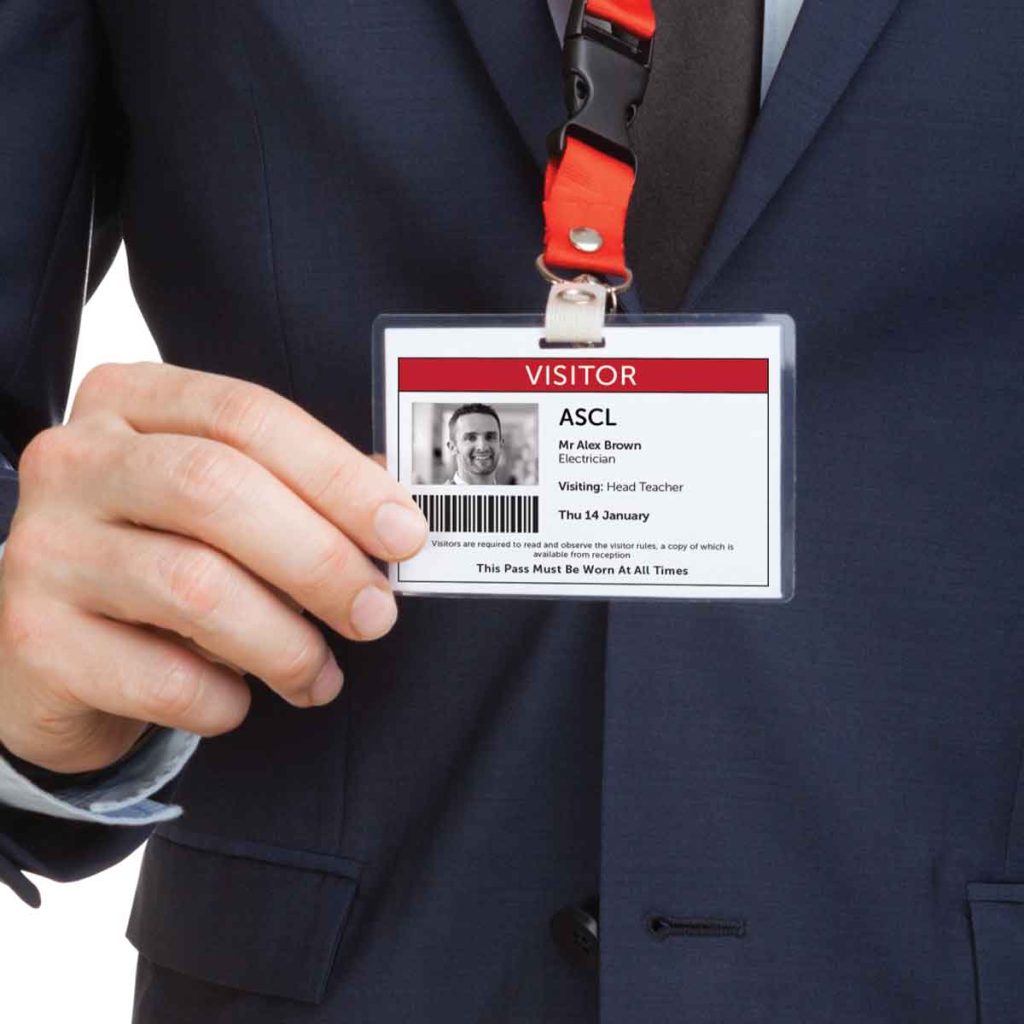
ASCL
InVentry Provides ASCL with a professional sign in system whilst streamlining their staff management and evacuation process
Read More
Portsmouth Football Club
Find out how Portsmouth Football Club have utilised InVentry and our custom questions module
Read MoreContact Us
Learn More About Our System to System Integration Solution – Integrate with Anything.
Book your free demo today and find out how your organisation can benefit from our visitor management system and its ability for system to system integrations.
- 0113 322 9253
- info@inventry.co.uk
-
InVentry Ltd
Visitor House,
Gelderd Road,
Gildersome,
Leeds, LS27 7JN
Looking for support? Please use our support form