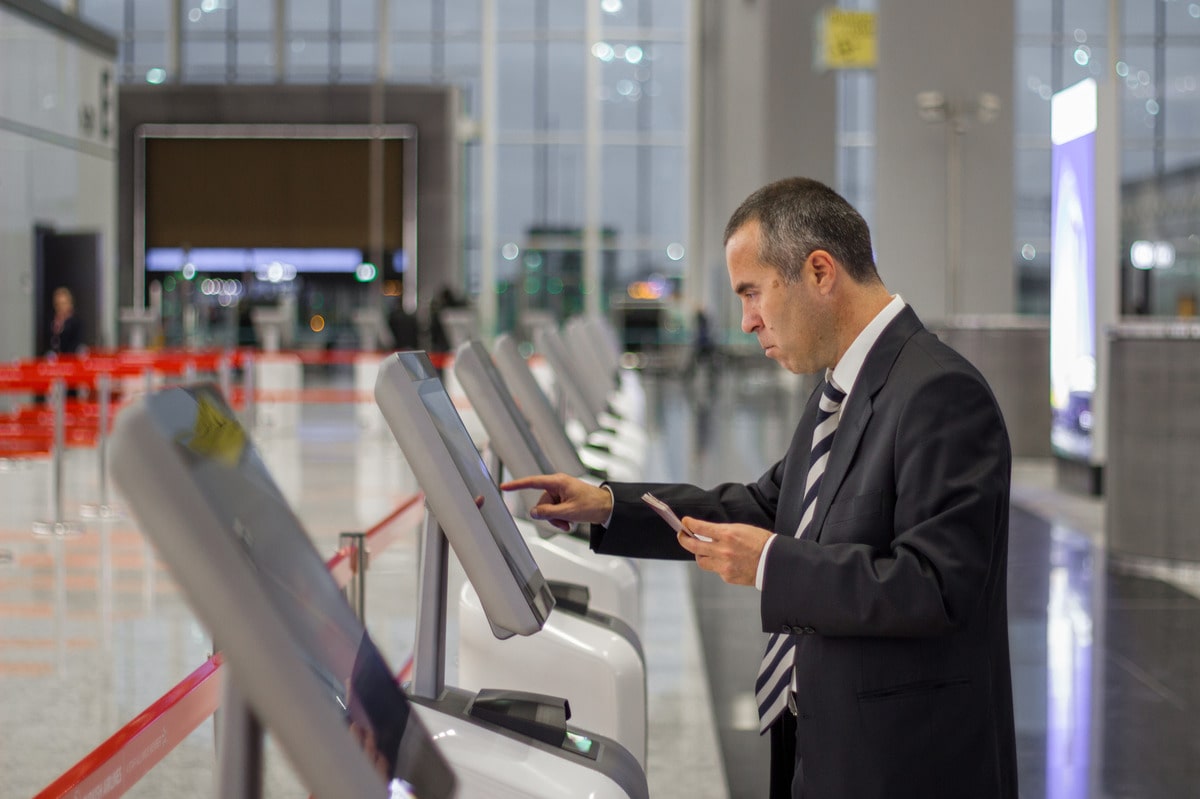
For office-based businesses, where the daily flow of visitors, clients, and employees is constant, managing this influx effectively can be a challenge. Traditional methods of visitor management, such as paper logs and manual check-ins, are becoming increasingly outdated. Enter the sign-in kiosk; a modern, digital solution that is rapidly becoming an essential tool for office visitor management.
In this blog, we look at the benefits that office-based businesses can expect when they implement an office kiosk to act as a visitor sign-in solution.
Table of contents
- What is an Office Check In Solution?
- Benefits of Implementing an office kiosk
- Which Roles Would Benefit From a Front Desk Sign-In Kiosk?
- What Savings Can a Business Expect to See?
- Office Kiosk FAQs
Firstly, What is an Office Front Desk Sign-In Kiosk?
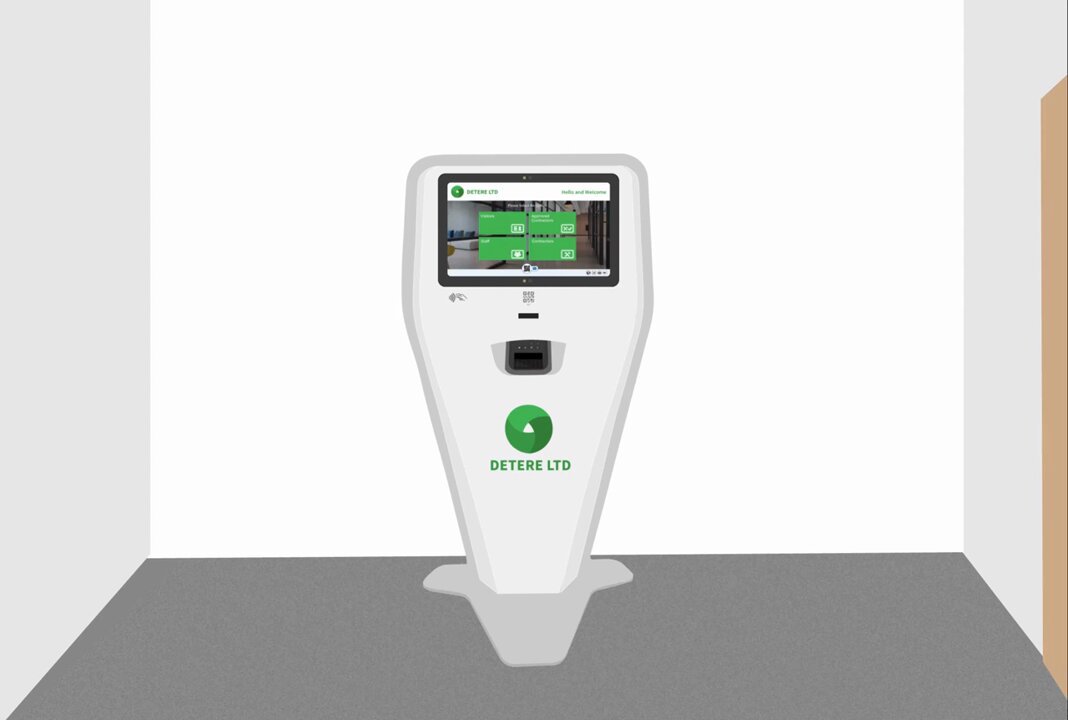
An office front desk sign-in kiosk is a digital solution that replaces traditional, manual visitor registration processes with a modern, self-service system. Typically placed at the reception or entry point of an office, the office kiosk enables visitors, employees, contractors, and even delivery personnel to check in quickly and securely – without needing assistance from a receptionist.
Using a touchscreen interface, barcode scanner, camera, or facial recognition, a front desk sign in kiosk can streamline the entire check-in process. It captures visitor details, notifies hosts, prints visitor badges, and ensures compliance with security and data privacy policies.
These office kiosk systems are particularly valuable in busy office environments where efficiency, professionalism, and safety are top priorities. They offer a contactless, hygienic, and efficient alternative to paper logbooks or manual sign-in sheets.
So what are the Major Benefits of Implementing an office kiosk?
1. Streamlineing the Check-in Process
One of the primary benefits of sign-in kiosks is the significant improvement in the visitor check-in process. Unlike manual sign-ins, which can be slow and prone to errors, sign-in kiosks offer a fast, user-friendly experience. Visitors can enter their details on a touchscreen interface, which typically takes only a few seconds. This efficiency is especially valuable during busy periods, reducing queues and ensuring that guests are not kept waiting.
For office receptionists, the automation provided by sign-in kiosks means less time spent on administrative tasks and more time available for other duties. This can be particularly beneficial in large offices where the volume of daily visitors can be overwhelming.
2. Enhancing Security & Compliance
Security is a critical concern for any office-based business, and sign-in kiosks offer a robust solution for monitoring who enters the premises. These systems provide a secure, digital record of all visitors, complete with time-stamped entries and exits. This is a significant upgrade from traditional logbooks, which can be easily tampered with or accessed by unauthorised individuals.
Sign-in kiosks can also be integrated with other security systems, such as ID scanners and access control systems, to further enhance security. For example, visitors can be issued temporary access cards or badges that restrict their movement to specific areas of the building. In the event of an emergency, having a precise record of all individuals on-site can be crucial for ensuring everyone’s safety.
Additionally, with increasing emphasis on data protection laws such as GDPR, sign-in kiosks offer a compliant way to handle visitor information. Digital records are securely stored and can be easily retrieved when needed, ensuring that businesses meet legal requirements for data management.
3. Professionalism & First Impressions
First impressions are crucial in business, and the reception area is often where these impressions are formed. A sign-in kiosk can significantly enhance the professional image of an office. These sleek, modern devices are not only functional but also visually appealing, reflecting a business’s commitment to innovation and efficiency.
Customisable features allow businesses to tailor the kiosk interface to their brand, including logos, colour schemes, and welcome messages. This personalisation adds a touch of professionalism and ensures that visitors feel welcomed and valued from the moment they step through the door.
4. Improveing the Visitor Experience
The visitor experience is increasingly important in today’s customer-centric world. A smooth, hassle-free check-in process can set the tone for the rest of a visitor’s experience at your office. Sign-in kiosks are designed to be intuitive, with clear instructions and a straightforward interface that even those unfamiliar with technology can navigate easily.
Moreover, in the context of the COVID-19 pandemic and beyond, many sign-in kiosks now offer contactless check-in options. Visitors can scan a QR code with their smartphone to check in without touching the kiosk, reducing the risk of spreading germs and catering to those who prefer minimal physical contact.
5. Data Collection & Analytics
One of the often-overlooked benefits of sign-in kiosks is their ability to collect and analyse data. These systems can track visitor trends, such as peak visit times, frequent visitors, and the reasons for visits. This information can be invaluable for businesses looking to optimise their operations.
For instance, understanding when the busiest times occur can help businesses allocate resources more effectively, such as adjusting reception staffing levels or planning meetings to avoid peak periods. The data collected can also provide insights into visitor behaviour, helping businesses make informed decisions about how to improve the visitor experience.
6. Scalabileity & Flexibileity
Sign-in kiosks are highly scalable, making them suitable for businesses of all sizes. Whether you operate a small office with a single kiosk or a large corporate headquarters with multiple kiosks across different floors, these systems can be easily expanded or customised to meet your needs.
Additionally, sign-in kiosks can be integrated with other business systems, such as calendars, CRM software, and security systems, providing a seamless and efficient workflow. This flexibility ensures that as your business grows or your needs change, your sign-in kiosk system can adapt accordingly.
7. Environmental Considerations
In an era where sustainability is becoming increasingly important, sign-in kiosks offer an eco-friendly alternative to traditional visitor management methods. By eliminating the need for paper sign-in sheets, these digital systems help reduce paper waste and contribute to a more sustainable office environment.
Furthermore, the reduction in physical paperwork means less storage space is required, freeing up valuable office space and further enhancing efficiency.
For office-based businesses, sign-in kiosks are more than just a convenience – they are a must-have tool that enhances efficiency, security, and the overall visitor experience. As businesses continue to adapt to the demands of the modern workplace, those that embrace the benefits of sign-in kiosks will be better positioned to create a safe, professional, and welcoming environment for their visitors. Whether you’re looking to streamline operations, improve security, or simply make a lasting first impression, sign-in kiosks offer a versatile and valuable solution.
Which Roles Would Benefit From a Front Desk Sign-In Kiosk in an Office?
Implementing a front desk sign-in kiosk in an office brings clear advantages across multiple roles, helping to streamline operations, enhance security, and improve the visitor experience.
Receptionists & front desk staff
Receptionists and front desk staff benefit by automating routine check-in tasks, which allows them to focus on higher-value responsibilities like guest engagement or internal coordination. This reduces pressure during peak hours, shortens wait times, and minimises data entry errors.
Facilities & office managers
Facilities and office managers gain real-time visibility into who is in the building at any given time. A modern office kiosk system helps them manage visitor flow, enforce safety protocols, and integrate with access control systems, making the entire workplace more efficient and secure.
Security & compliance teams
Security and compliance teams rely on accurate digital visitor logs, automated badge printing, and pre-screening features to ensure safety and adherence to regulations such as GDPR and ISO 27001. The ability to track and access visitor history supports emergency response plans and audit readiness.
Employees & hosts
Employees and hosts experience improved convenience. They are instantly notified when their guests arrive, eliminating the need for manual coordination. This leads to smoother meetings and a more professional first impression for visitors.
HR & people operations teams
HR and people operations teams can streamline the onboarding process for candidates, contractors, and temporary staff by offering a consistent, branded, and secure check-in experience. It also supports policy enforcement, such as health questionnaires or NDA acknowledgments.
Delivery & mailroom staff
Even delivery and mailroom staff benefit from front desk sign-in kiosks. These systems allow couriers to log deliveries without waiting for a receptionist, ensuring packages are tracked, recorded, and routed efficiently to the right people.
What Savings Can a Business Expect to See?
Investing in a front desk sign-in kiosk can lead to significant savings—both financially and operationally. By replacing manual check-in methods with a digital office kiosk, businesses reduce overhead costs, streamline workflows, and improve resource allocation.
Time Savings
Automated check-in can reduce the average visitor processing time from several minutes to under 30 seconds. Reception teams spend less time on repetitive tasks, freeing them up to focus on more strategic activities. Over the course of a year, this can save hundreds of staff hours – equivalent to thousands of pounds or dollars in productivity gains.
Reduced Staffing Costs
With a front desk sign-in kiosk, offices can operate more efficiently with leaner reception teams – especially in multi-tenant or multi-entrance environments. While not replacing staff, kiosks reduce the need for additional hires during busy hours or cover for breaks.
Lower Paper & Printing Costs
Digital systems eliminate the need for visitor logbooks, paper forms, or manual badge labels. Businesses save on consumables like ink, paper, clipboards, and filing systems, while reducing environmental impact.
Faster Emergency Response
During evacuations, having instant access to real-time visitor data can save lives – and avoid legal liabilities. This isn’t just a cost saver; it’s a risk reducer that could protect the business from compliance fines or litigation.
Enhanced Security and Compliance
Accurate visitor tracking helps avoid unauthorised access, reducing the cost of potential security breaches. It also supports GDPR, ISO, and industry-specific compliance, helping businesses avoid fines or reputational damage.
How InVentry can help
InVentry’s sign-in kiosks are fully customisable and can enhance your visitor management processes. Contact us today to understand how our sign-in kiosk machines can help your company today.
Office Kiosk FAQs
What is an office check-in solution?
An office check-in solution is a digital system – typically powered by a touchscreen kiosk – that allows visitors, employees, contractors, and delivery personnel to sign in quickly and securely. Solutions like those from InVentry replace paper logbooks with automated processes such as badge printing, host notifications, and real-time visitor tracking, improving both efficiency and security.
How secure is the data collected by office kiosks?
Modern office kiosks are built with enterprise-level security in mind. Data is encrypted both in transit and at rest, and access is restricted to authorised users only. Features such as audit trails, role-based permissions, and configurable data retention policies help businesses comply with regulations like GDPR while maintaining full control over sensitive visitor information.
Can kiosks differentiate between visitors, contractors, and staff?
Yes. Advanced office kiosk systems can segment users into different categories – such as visitors, contractors, employees, and couriers—and apply customised workflows to each. For example:
- Visitors may simply sign in and receive a badge
- Contractors may be required to complete safety inductions
- Staff may use the kiosk for attendance tracking
This flexibility ensures each user type is managed appropriately.
Do office kiosks support contactless check-in?
Absolutely. Many modern kiosks offer contactless options such as QR code scanning, mobile pre-registration, or even facial recognition. This reduces physical contact, improves hygiene, and speeds up the check-in process – particularly useful in high-traffic environments.
Can office kiosks integrate with other business systems?
Yes, integration is one of the biggest advantages. Office kiosks can connect with:
- Calendar systems (e.g. Outlook, Google Calendar)
- Access control systems
- CRM platforms
- HR software
Solutions like InVentry are designed to integrate seamlessly, ensuring data flows across your organisation without manual input.
How do office kiosks improve emergency procedures?
In the event of an evacuation, office kiosks provide a real-time list of everyone currently on-site. This allows safety teams to quickly conduct roll calls and ensure no one is unaccounted for. Compared to paper records, this significantly improves response times and reduces risk during emergencies.
Are office kiosks suitable for small businesses?
Yes. Office kiosks are highly scalable and can be tailored to businesses of all sizes. A small office might only need one device, while larger organisations can deploy multiple kiosks across different entrances or locations – all managed centrally.
What happens if the system goes offline?
Most modern kiosk systems include offline functionality. This means they can continue to capture visitor data even if the internet connection drops, then sync automatically once connectivity is restored. This ensures no data is lost and operations continue smoothly.
How easy is it to implement an office kiosk?
Implementation is typically straightforward. Providers like InVentry offer:
- Installation support
- System configuration
- Staff training
- Ongoing technical support
Most businesses can be up and running with minimal disruption to daily operations.
Can the kiosk be customised to match our brand?
Yes. Office kiosks are fully customisable, allowing you to apply your company’s branding, including logos, colours, and messaging. You can also tailor workflows—for example, different check-in processes for clients, contractors, or interview candidates.
Do office kiosks help with compliance requirements?
Definitely. Office kiosks support compliance by:
- Securely storing visitor data
- Providing detailed audit trails
- Enforcing policies (e.g. NDAs, health & safety forms)
This is particularly valuable for industries that must meet strict regulatory standards.
What kind of ROI can businesses expect?
The return on investment comes from several areas:
- Reduced admin time and staffing pressure
- Lower paper and printing costs
- Improved operational efficiency
- Reduced risk of security breaches or compliance fines
Over time, these savings often outweigh the initial investment.
Can kiosks handle high visitor volumes?
Yes. Office kiosks are designed for busy environments and can process visitors quickly, reducing queues and bottlenecks. Multiple kiosks can also be deployed to handle peak periods efficiently.
Do employees need training to use the system?
Minimal training is required. Most systems are designed to be intuitive, and staff typically only need a short introduction to understand features like visitor pre-registration or dashboard access.
Are office kiosks worth it for modern workplaces?
In most cases, yes. If your business regularly manages visitors, contractors, or deliveries, a digital kiosk is no longer a “nice-to-have”- it’s a practical upgrade that improves efficiency, security, and professionalism all at once.